Most people shopping for a desk chair get stuck on the same fork in the road: do I buy the gaming chair with the racing silhouette, or the office chair that looks like it belongs in a conference room? The gaming chair vs office chair question feels like a personality test, but it is really a geometry test. The chair that hurts you at hour seven is almost never the one with the wrong label on it. It is the one whose lumbar support slid down an inch after lunch, whose seat pan is two inches too long for your legs, or whose armrests wandered out from under your elbows. Labels describe marketing. Measurements describe your back.
Related: How to Set Up a Home Office That Doesn't Hurt →
Quick answer
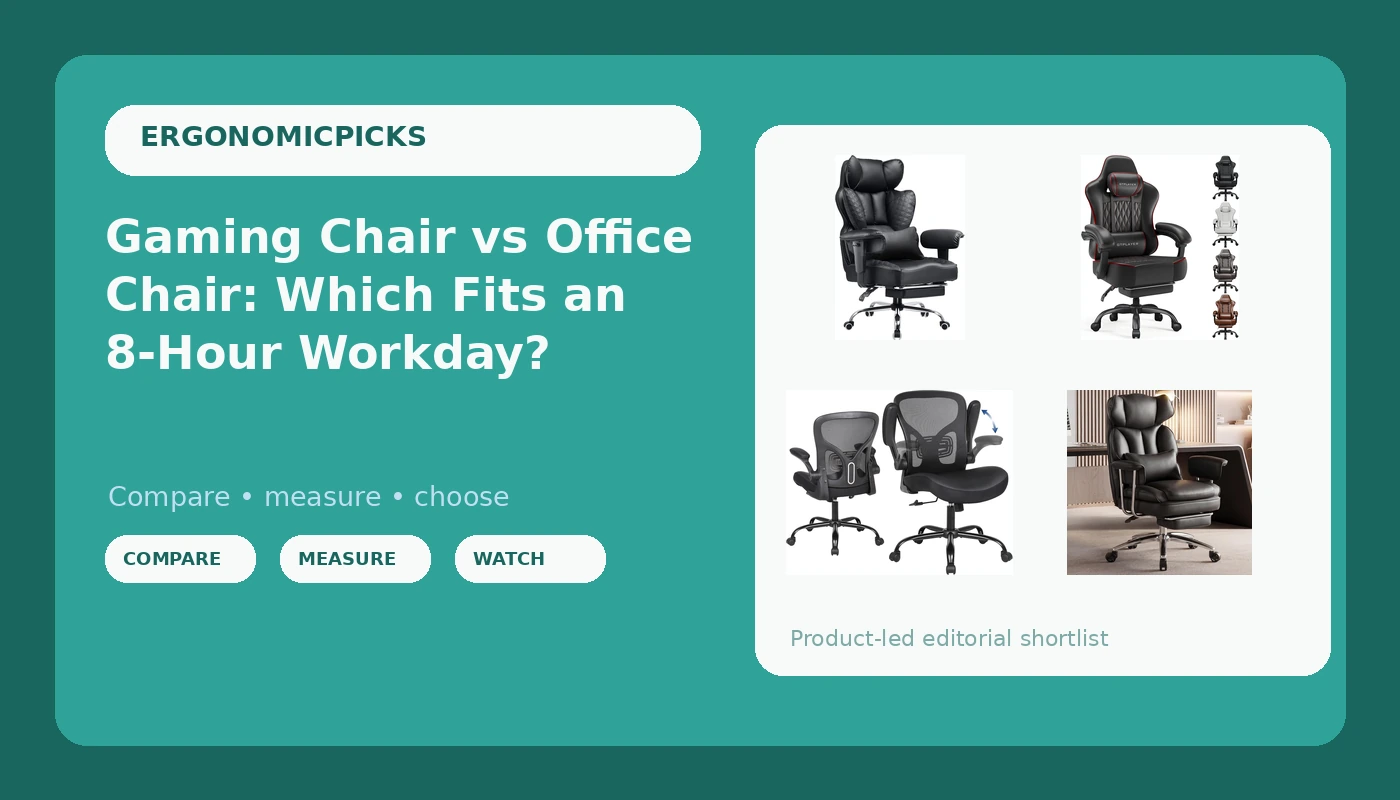
The category label matters far less than four adjustments: a lumbar support that stays where you set it, a seat depth that leaves a small gap behind your knee, armrests that hold position under load, and a tilt tension that matches your body weight. Among the four chairs here, the COMHOMA big and tall model is the widest and most heavily built, the GTPLAYER is the gaming style option with a pocket spring cushion and linkage armrests, the flip-up armrest chair is the compact mesh back task chair, and the DUMOS is the executive style leather option. None of them is universally right, because no chair is one size fits all.
Four useful options
| Model | Best fit | What stands out |
|---|---|---|
| COMHOMA Big and Tall Office Chair Heavy Duty Wide Ergonomic Gaming Chair | Larger frames and anyone who reclines between tasks | Big and tall, heavy duty, wide build, 150 degree recline, foot rest, pocket spring back support, pillow |
| GTPLAYER Gaming Chair, Computer Office Chair | Gaming setups and reclined seated sessions | Pocket spring cushion, linkage armrests, black and red leather |
| Ergonomic Office Chair, Flip-up Armrest, Mesh Back PU Leather Seat | Small rooms and shared desks | Flip-up armrests, mesh back, PU leather seat |
| DUMOS Ergonomic Home Office Desk Chair, Executive Chair | Traditional office look in a home workspace | Executive styling, PU leather, home office desk chair format |
The heavy duty pick: COMHOMA Big and Tall Office Chair Heavy Duty Wide Ergonomic Gaming Chair
The trade-off with a wide, heavily built chair is floor space. A big and tall frame with a deep recline and a foot rest needs room behind it and beside it, and a 150 degree recline is a resting posture, not a typing posture. If you plan to recline while reading or gaming and then sit up for calls, this is the one that covers both. If your desk sits in a corner with six inches behind it, a chair this size will spend its life fighting the wall.
The gaming style pick: GTPLAYER Gaming Chair, Computer Office Chair
Here is where the gaming label earns its skepticism. A racing style backrest often has side bolsters that curve forward at the shoulders. If you sit upright and narrow, those bolsters push your shoulders forward and your head with them, which is the opposite of what a desk posture needs. Sit deeper and slightly reclined, and the same shape works. That is why I tell clients to judge a gaming chair by how it feels at the angle they will actually use, not the angle in the product photos.
The compact task chair: Ergonomic Office Chair, Flip-up Armrest, Mesh Back PU Leather Seat
Mesh is not automatically breathable, and it is not automatically better. A mesh back that sags in year two becomes a hammock for your tailbone, and a cheap mesh panel with a hard frame edge can dig into the mid back. What mesh does offer is airflow across the back, which matters more in a warm room than a cold one. The flip-up armrests also mean you can push the chair in completely, which keeps a small office from feeling like a chair storage unit.
The executive style option: DUMOS Ergonomic Home Office Desk Chair, Executive Chair
Executive styling carries one real risk: a padded, upholstered back can hide whether there is any lumbar structure underneath at all. Run your hand down the lower back of any leather style chair before you commit, and check whether the padding follows an inward curve or just hangs flat. If it hangs flat, you are buying a waiting room chair with a nicer cover. That is a comfort problem, not an aesthetic one.
Prices and availability may change. Confirm the model name and current listing details before ordering, and do not rely on a stated price, rating, or stock status from an earlier date.
Why the gaming label and the office label describe marketing, not geometry
Gaming chairs borrow their shape from racing seats, which were designed to hold a driver in place against lateral force. That is a very different job from supporting someone who sits still for eight hours. Office chairs borrow from task seating, where the goal is adjustability rather than containment. Neither origin guarantees a good chair, and both categories now use the word ergonomic on models with no meaningful adjustment at all.
What actually differs between the two styles comes down to four things. The backrest shape: bucket style with side bolsters, or a flatter task back. The cushion: pocket spring construction, which is a spring unit under the foam, or a plain foam slab. The armrests: linkage armrests that move with the recline, flip-up armrests that clear a desk, or fixed armrests that do neither. And the recline range, which on a chair like the COMHOMA model reaches 150 degrees while most task chairs stop well short of that.
A high recline and a foot rest are not posture improvements on their own. They are tools for the part of the day when you are reading, watching, or gaming rather than typing. Used that way, they take load off the lower back by changing the angle. Used as a default sitting position for keyboard work, they put your neck into a forward strain. Match the tool to the hour.
The four adjustments that decide whether a chair survives an eight-hour day
The lumbar curve is the inward curve of your lower back. Almost every chair claims to support it. The honest test is whether the support adjusts in place, up and down and ideally in and out, and whether it stays put. A lumbar pad that slides down the back of the chair by mid-afternoon is decoration, not support. If a chair offers no lumbar adjustment at all, that is the first thing to notice, not the last.
Seat depth is how far the seat pan runs front to back. Too long and the front edge presses behind your knee, which pushes you forward and rounds your lower back. Too short and your thighs carry your weight instead of your sit bones. The practical check is a small gap, roughly two to three fingers, between the back of your knee and the front edge of the seat.
Armrests are not optional. Floating elbows are how shoulder pain starts, because the muscles that hold your arms up stay switched on all day. Armrests should meet your forearms at roughly elbow height with your shoulders relaxed. Flip-up armrests trade that support for desk clearance, and linkage armrests keep the support while you recline.
Tilt tension is the resistance when you lean back. Set too loose, you slouch into the recline without support. Set too locked, you fight the chair and end up perched on the front edge. Adjust it so the backrest follows you rather than resisting you, then let it move through the day.
A five-step way to choose
- Measure your seated body first: the height from the floor to the crease behind your knee, your hip width, and the height from your seat to your elbow. These three numbers eliminate most wrong chairs.
- Decide how much you recline during the day. If you lean back to read, game, or watch, a deeper recline, a foot rest, and linkage armrests like the GTPLAYER chair offers matter more than a flat task back.
- Check the lumbar support in person if you can, and ask whether it adjusts up and down. If the answer is no, treat the ergonomic claim on the box as unproven.
- Test the armrests under pressure. Lean on them the way you would when standing up, and see whether they hold position or wobble.
- Confirm the seat depth against your knee measurement before you buy, since depth is the one thing you cannot adjust after the fact.
Practical guidance for the first week in a new chair
- Set the seat height so your feet rest flat and your knees sit roughly level with your hips, not above them.
- Leave two to three fingers of space between the seat edge and the back of your knee, and adjust your position if the edge digs in.
- Bring the armrests up to elbow height and in close enough that your shoulders drop when your hands rest on them.
- If the chair reclines, use the tilt tension so the backrest moves with you instead of against you, and change angle a few times across the day.
- Recheck your lumbar support position in the afternoon, not just at 9 a.m. Chairs that drift are the ones clients complain about.
Treat a chair as a five-year purchase. The one that costs less and dies in eighteen months was never the cheap option, and a gas lift that fails in year two turns a bargain into a replacement.
Which option should you choose?
Choose the COMHOMA Big and Tall Office Chair Heavy Duty Wide Ergonomic Gaming Chair when you need a wide, heavy duty seat, you have the floor space for a deep recline, and you want the foot rest and pillow for the hours you spend leaning back. Choose the GTPLAYER Gaming Chair, Computer Office Chair when you want the gaming style look with a pocket spring cushion, and you plan to sit reclined enough that linkage armrests earn their keep. Choose the Ergonomic Office Chair, Flip-up Armrest, Mesh Back PU Leather Seat when your workspace is small, your desk is shallow, and you need the chair to disappear under it at the end of the day. Choose the DUMOS Ergonomic Home Office Desk Chair, Executive Chair when you want a traditional executive look in PU leather and an upholstered back rather than mesh.
One caveat worth stating plainly. Nothing here is a medical recommendation, and I have not published measured results for these four chairs. The features described come from the manufacturer listings, and the fit advice comes from general ergonomics practice, not from a pressure map of your specific body. If you have an existing back or shoulder condition, the chair is one variable among several, including desk height, monitor position, and how often you get up.
The bottom line
The gaming chair vs office chair debate resolves the same way most chair questions do: forget the label and audit the adjustments. A chair earns a place at your desk when the lumbar support stays where you set it at 2 p.m., the seat depth leaves room behind your knee, the armrests hold position under your elbows, and the tilt moves with you instead of against you. The COMHOMA model covers big and tall frames and long reclines, the GTPLAYER covers the gaming style angle with a spring cushion and linkage armrests, the flip-up armrest chair covers tight spaces with a mesh back, and the DUMOS covers the executive look in PU leather. Pick the geometry that matches your body and your room, and the category name stops mattering.