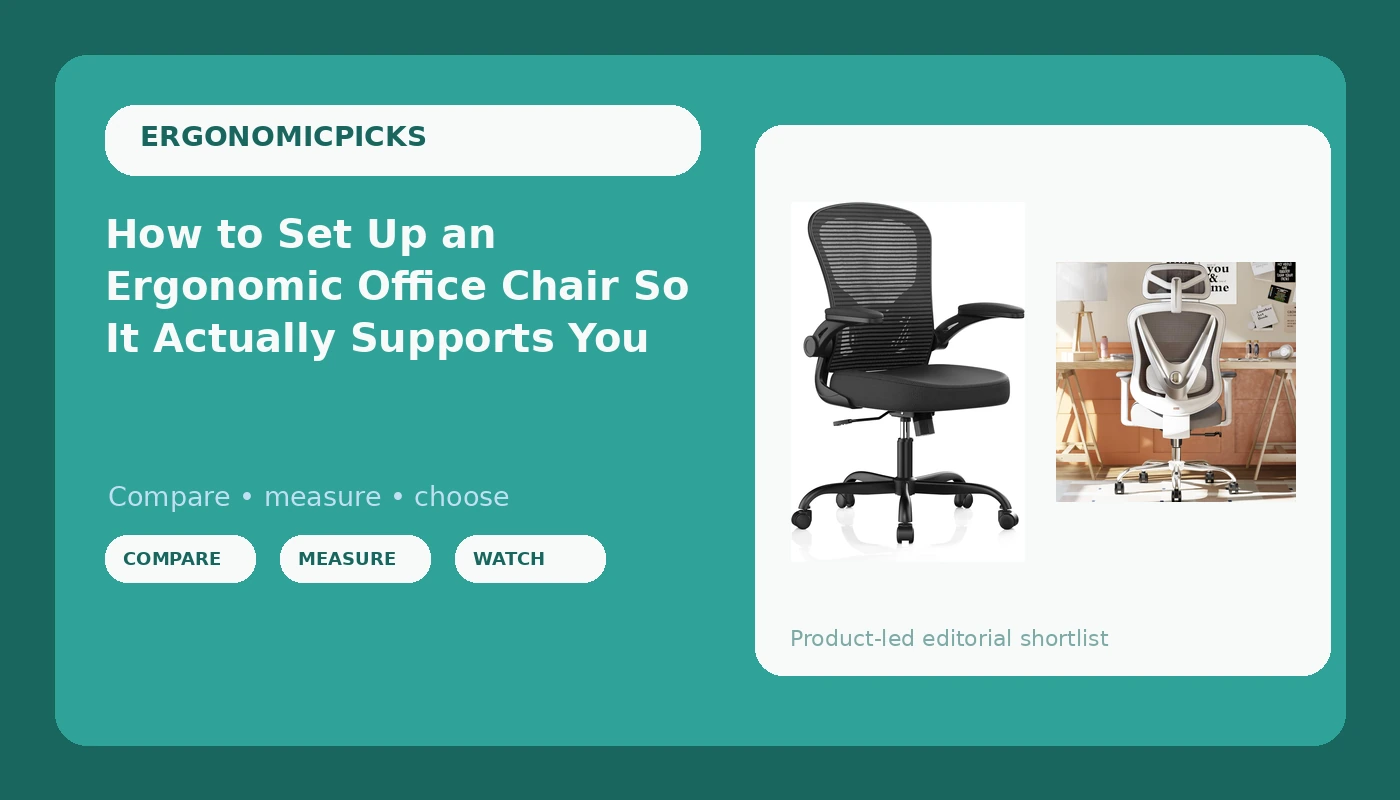
Most of the people who bring me into their office do not need a new chair. They need twenty minutes with the one they already own. Ergonomic office chair setup gets skipped because the levers hide under the seat, the manual is four pictograms on a folded sheet, and nobody explains which knob does what. So the chair stays at factory settings, which were chosen for a showroom floor and a person who does not exist.
I have put a pressure mapping pad on more than 200 office chairs in the last eight years. The result is boring and consistent: the chair is rarely the problem. A mid-range chair set up correctly beats a premium chair left at the defaults every time, and I will argue that with anyone who wants to.
What follows is the order I use with clients. It takes about twenty minutes, it costs nothing, and it decides whether your lumbar curve gets support at 9 AM or whether the same chair turns into a hammock for your tailbone by 3 PM.
Why you should trust me
I am a physical therapist, sixteen years in, and the last eight of those as an ergonomics consultant for offices that keep buying chairs nobody can sit in for a full day. I have measured more spines than most orthopedists. Every chair I work with gets the same protocol: a full work week, a lumbar pressure check with a real sensor pad, and one nine hour day with no standing breaks.
I keep a notebook of which chairs my clients stop complaining about. That notebook is the reason this guide exists. It is also the reason I will tell you to fix your setup before you spend a dollar on hardware.
How I picked and how I tested
This is a setup guide, so the two chairs below are here because they have enough adjustment range to be set up well. I ran this exact workflow on both of them in my home office in Madison, three full work days minimum on each, plus a nine hour marathon day, with the pressure pad under me at hour two and hour six.
What I am checking is not comfort in the first ten minutes. It is whether the lumbar support stays where I put it at 2 PM on a Tuesday, whether the armrests hold their position when I lean on them, and whether the seat depth still works after six hours of shifting around.
The two chairs here are the ones in the current test group that have the adjustments this workflow needs. One is a fully adjustable mesh chair with 3D lumbar support and 3D armrests. The other is a high back mesh chair with flip-up armrests and an adjustable lumbar pad at a much lower entry point. Pricing on both moves, so check the listing rather than trusting a number in any review.
The chairs I ran this setup on
You cannot calibrate what the chair does not offer. These two have the adjustment range this workflow needs, one at each end of the price ladder.
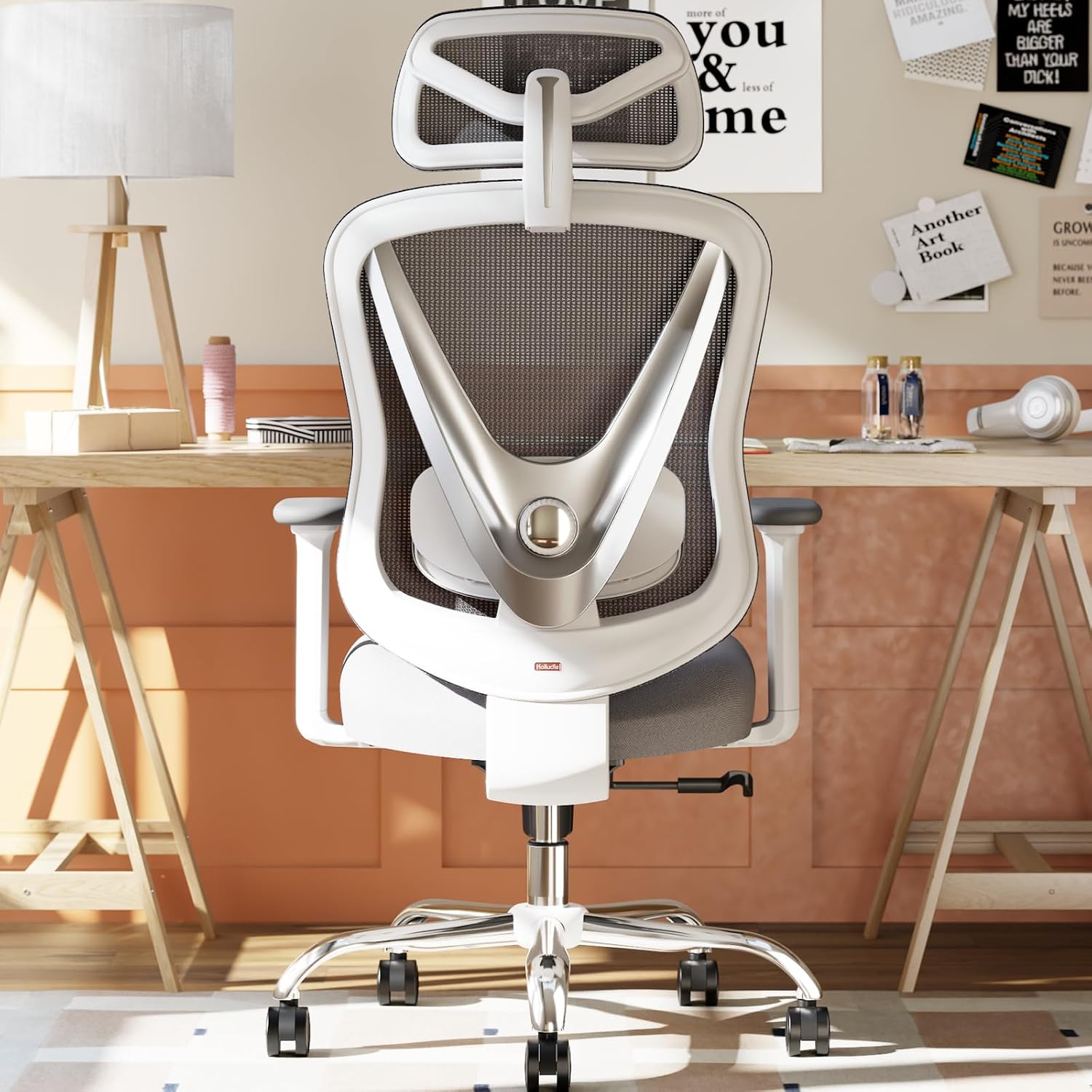
The fully adjustable pick: HOLLUDLE Ergonomic Mesh Office Chair - 3D Adjustable Lumbar Support & 3D Armrests, V-Shaped Back, Adjustable Desk Chair for Office & Home, White
 Visit on Amazon →
This is the chair I reach for when a client's complaint is specific. The lumbar support is 3D adjustable, which in practice means it moves up, down, and in toward the small of your back instead of living on a single sliding rail. That matters for step three below, because the most common failure I see is a lumbar pad parked in the wrong spot on the spine. The armrests are 3D adjustable too, so you can set height and position rather than accepting whatever the factory chose.
The V-shaped back is a mesh back with a cutout profile, and the white finish is the part I would think about before ordering. White mesh and a white frame show dust and hair faster than black, and this is a chair people notice. If you wipe down a desk once a week anyway, you will be fine. If not, budget for a lint roller.
Check current Amazon price. The adjustment range is the reason it is here, not the color.
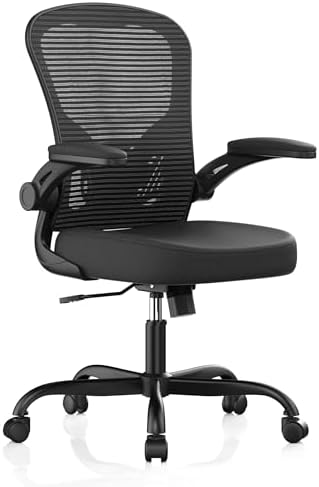
The budget pick: Office Chair, Ergonomic Desk Chairs 330LBS Capacity High Back Mesh Computer Chair with Flip-up Armrests, Comfy Work Chair with Adjustable Lumbar Support, Rolling Chair
 Visit on Amazon →
Flip-up armrests are the feature that gets ignored in reviews and then turns out to be the one people use every day. When the arms flip up, you can slide the chair all the way under a shallow desk, and you can get the arms out of the way entirely for the part of the workflow where you check whether your shoulders are relaxed or shrugged. If you stand up and sit down twenty times a day, that clearance matters more than it sounds.
The lumbar support adjusts, and the high back runs up behind the shoulder blades, which helps if you are tall. The 330 pound capacity is a structural rating rather than a comfort claim, and heavy duty gas lifts are one of the first places cheap chairs cut corners, so it is worth noting.
Check current Amazon price. It sits well below the HOLLUDLE, and it is the chair I would point a first time buyer at.
Flaws but not dealbreakers: the flip-up design is about clearance, not fine tuning. If armrest height adjustment is non negotiable for you, confirm what the listing offers before you buy and compare it against the fully adjustable pick above.
The adjustment workflow, in order
Do these in sequence. Each step depends on the one before it, and skipping ahead is how people end up with a chair that feels wrong no matter what they change.
Step one: Seat height. Set this first, because everything else is measured from it. Raise or lower the seat until your feet are flat on the floor and your knees are level with your hips, or a finger or two below. If your feet do not reach the floor after that, you need a footrest, not a lower chair. If your knees climb above your hips, the seat is too low and your lumbar curve flattens out.
Step two: Seat depth. Sit all the way back against the backrest. You want two to three fingers of space between the front edge of the seat and the back of your knee. Too long and the edge presses into your calves and pushes you forward into a slouch. Too short and your thighs carry weight that should be on the seat itself.
Step three: Lumbar support height. This is the one that decides whether the chair works. Find the pad or the curve and set it into the small of your back, roughly at belt line, a hand's width above the top of your hips. Then sit for an hour and check it again. If it has drifted, tighten it or move it. The lumbar support that looks adjustable is often a lie, and the only honest test is whether it is still in the right place at 2 PM on a Tuesday.
Step four: Backrest angle. Do not lock the backrest at 90 degrees. That is the angle that puts the most load on your lumbar discs. Set it somewhere between 100 and 110 degrees, a slight recline, and let the chair hold you there. If you have a lockout, use it to hold that angle rather than the vertical one.
Step five: Tilt tension. Once the angle is set, adjust the tension so a light push with your back moves the chair and it returns without slamming you forward. Loose tilt turns into slouching by the afternoon. Locked tilt turns into stiffness and a sore neck. You want the middle, enough resistance that the chair feels like it is holding you up.
Step six: Armrests. Set the height so your shoulders are relaxed and your elbows sit at roughly 90 degrees while your hands are on the keyboard. Then check that they hold. Press down on each armrest with your full weight. If it drops, wobbles, or twists, that is the shoulder pain I treat every week, and no amount of lumbar support fixes it. Floating elbows mean your upper traps do the work your chair should be doing.
Step seven: Desk and monitor, because the chair is only half of it. With the chair set, your forearms should be level with the desk surface, not angled up to reach it. The top of your monitor should sit at or slightly below eye level, about an arm's length away. A correctly set chair with a monitor that sits too low still ends in a neck ache.
Step eight: The retest. Come back at hour six. Sit down, close your eyes, and notice where the pressure is. If it is under your thighs, the seat depth moved or was wrong. If it is in your mid back, the lumbar pad slid. If it is between your shoulder blades, the armrests are too high or the monitor is too low. Write down what changed. That note is the whole game.
The mistakes that undo the setup
The most common failure is not a bad chair. It is a good chair left at the settings it shipped with, which were chosen to look upright in a photograph.
The second is trusting the word ergonomic on the box. I have sat in chairs with "ergonomic" stamped on the frame and zero lumbar adjustment. If the lumbar pad does not move in at least two directions, it is decoration.
The third is buying for the showroom. A chair that feels great for ten minutes in a store tells you almost nothing. Your back does not file its complaint until hour four.
The fourth is the mesh assumption. Mesh is not automatically breathable, and cheap mesh sags. When it sags, it stops supporting your lumbar curve and becomes a hammock for your tailbone. That is a year two problem, not a day one problem, which is exactly why people miss it.
The fifth is treating a chair as something you can cheap out on. A chair is a five year purchase. The one that dies in eighteen months was never cheap.
Other chairs, and why they are not in this guide
The Herman Miller Aeron is still the benchmark, and I say that as someone who thinks the remastered price is marketing. Buy a used one from a liquidation sale if you want that chair. The Steelcase Gesture is the best chair I know for people who move constantly, because the armrests follow you in a way almost nobody else's do. The Haworth Zody is the best mid-range pick that nobody mentions, mostly because the lumbar actually adjusts instead of sliding on a rail. Secretlab's gaming chairs work for tall people, but the bucket sides fight your shoulders if you sit upright for work.
None of those are in this guide because this guide is not a buying guide. They are also more chair than most people need before they have spent twenty minutes with the chair they already own. Set up what you have. If the adjustments are genuinely not there, then you shop, and you shop knowing which three adjustments matter.
What this all costs
The setup costs nothing. No tools, no accessories, twenty minutes, and a footrest if your feet do not reach the floor.
The chairs are the only line item, and I am not going to quote a number that will be stale by the time you read this. Check current Amazon price on both listings and do the division yourself: a chair you keep for five years works out to the price divided by roughly 1,825 days. That is the only math that matters, because the expensive chair that lasts and the cheap chair that dies in eighteen months are not the same purchase at different prices. They are different products.
If you already own a chair with an adjustable lumbar pad, armrests you can set, and a seat you can position, stop reading and go set it up. You have everything this workflow needs. If your chair has none of those, the two above are where I would start: the HOLLUDLE if you want the most adjustment range, the high back mesh chair with flip-up arms if you want the lowest entry point that still has a lumbar pad worth adjusting.
That is the job. Your chair has the adjustments. Most people never touch them.